How to Add Custom Panels in Home Assistant
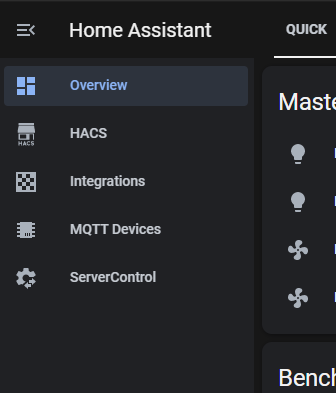
Are you just as tired as I was digging for stuff you go to all the time in Home Assistant? I know I was! The developers always seemed to move stuff on me too. I wanted my Server Control, Integrations, and MQTT devices right at my finger tips instead of buried in menus and large integration panels lists. I seem to get asked this question on every live stream which is a good thing! So here's how to do it, it's simple. Open your configuration.yaml file in whatever method you like to edit files, VSC, Notepad++, vi, etc. Make sure you do not have a "panel_custom:" section already. If not, just copy and paste this one in. panel_custom : - name : ha_server_con sidebar_title : ServerControl sidebar_icon : mdi:cog-transfer js_url : /api/hassio/app/entrypoint.js url_path : 'config/serv...